

The truck log for the gate.
Tap IN when a truck arrives. Tap OUT when it leaves. Live timers on your Lock Screen and Apple Watch. Email a signed PDF Daily Report before you leave the jobsite.
Live Activities
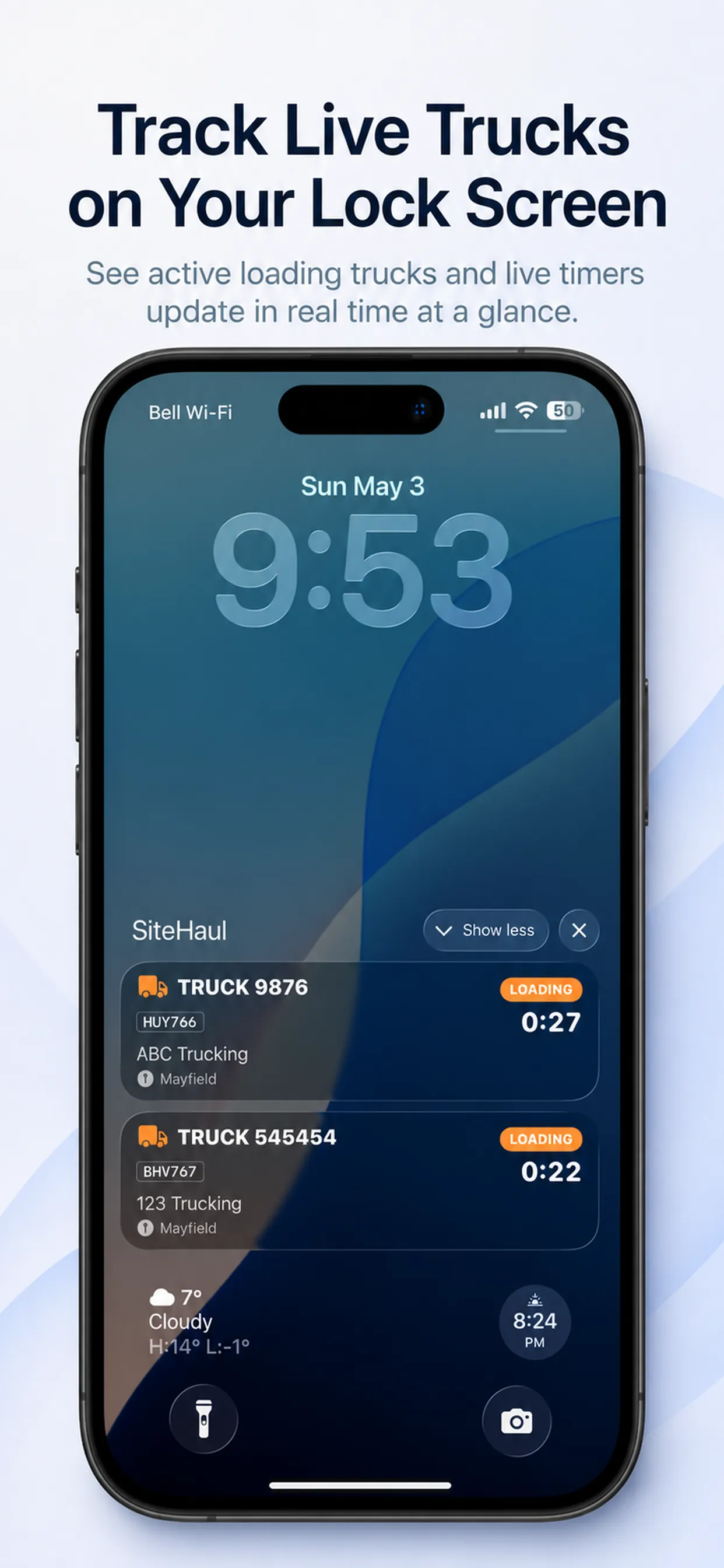
Live on the Lock Screen.
See every loading truck and its timer without unlocking the phone. Updates in real time.
Truck IN / Truck OUT
Tap IN. Tap OUT.
The shift logs itself. Plates and all.

Daily Report
One signed PDF. Every shift.
Signed at the gate. Emailed to the office before you leave.

Shift Totals
Know your shift at a glance.
Trucks on site. Loads completed. Average cycle.

Jobsites
Every jobsite, organized.
Switch projects. Pick up where you left off.

Bigger screen. More to see.
Two iPad layouts that put the gate, the map, and the signature flow on one display.

Truck roster on the left. Live jobsite map on the right. One screen does the work of two.

A clean signature sheet over the roster. Operators sign the Daily Report in seconds.
Pricing
$29.99. One time. Yours.
10-day free trial, then a one-time in-app purchase. No subscription, ever.

Price shown in CAD. The App Store may display local currency outside Canada.